Categories
Tags
Archives
How I Stop Overthinking Images: A Simple “Draft First” Habit
-
Posted by a bing Filed in Technology #design #creativity #images #visual drafts #ai image #nano banana pro 56 views
I used to waste a ridiculous amount of time trying to make one “perfect” image.
A thumbnail, a header graphic, a simple social post—on paper it sounds easy. In reality, I’d get stuck choosing colors, overthinking the layout, and staring at tiny details that nobody else would notice. The weird part is that the more time I spent, the less confident I felt.
What finally helped was treating images like drafts, not declarations.
Now, whenever I need an image, I make a rough version first. The goal is speed, not beauty. Once I see something on the screen, I can judge it properly: Is the subject clear? Is the text readable? Does the composition guide the eye? If the answer is “kind of,” I’m already moving in the right direction.
My quick checklist is:
-
One clear focal point (don’t try to say everything)
-
High contrast between subject and background
-
Big text, fewer words
-
Enough empty space to breathe
-
Export, look at it on a phone, then adjust
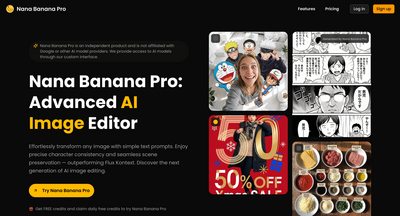
Sometimes I start with a photo, sometimes with a simple prompt and generate a few variations just to explore options. That’s where tools like nano banana pro have been handy for me—not as a final answer, but as a fast way to get multiple visual directions in minutes. Once I have a direction, I’ll refine it in my usual editor.
The big mindset shift is this: you don’t need to “get it right” immediately. You need something you can react to. Drafts reduce pressure, speed up decisions, and ironically lead to better results.
If you’re stuck on an image today, try making three rough versions on purpose. Pick the best one, refine it once, and publish. The image doesn’t need to be perfect—it just needs to be clear.
-
-
a bing and niu niu like this


